
Medical learning library and study organisation Design concept
Nibras Medical
A Kuwaiti educational library that helps practitioners choose resources, organise study sessions and retain notes in one place.
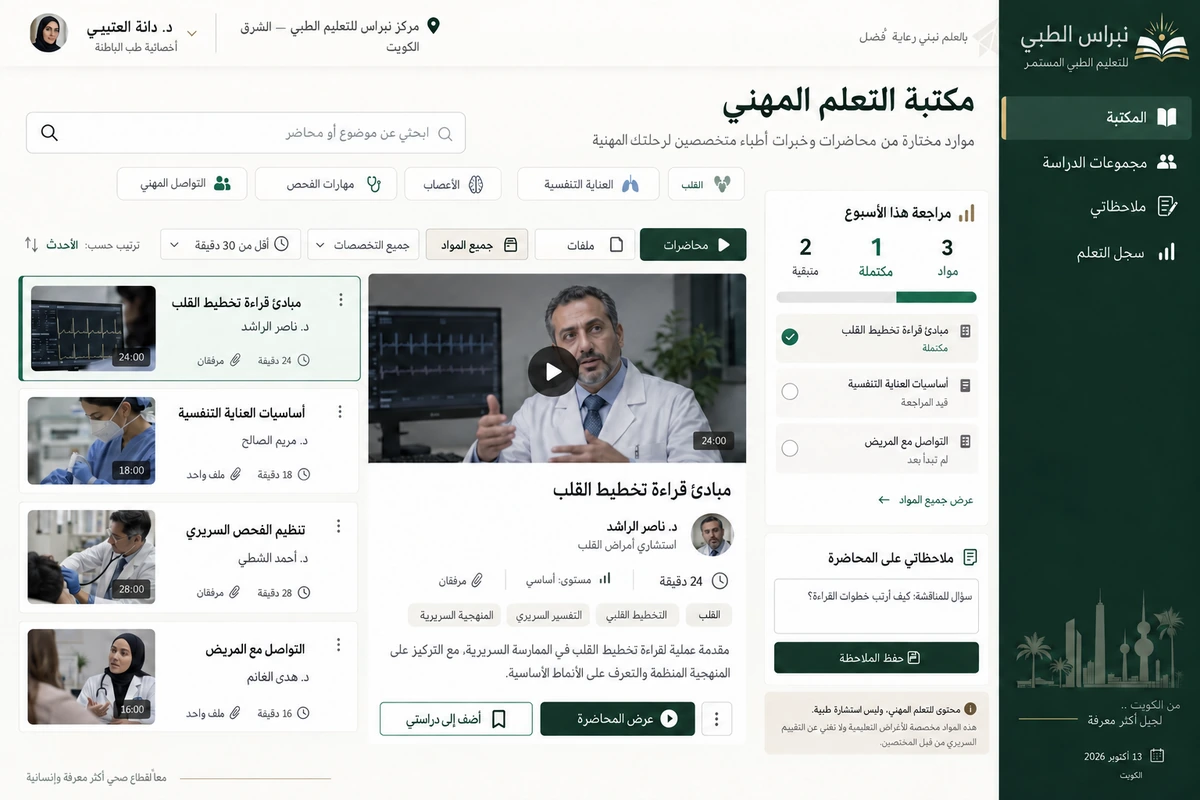
We designed Nibras Medical for a professional-training centre in Kuwait City. The project covers both finding material and returning to it: a clear catalogue, a lecture detail in context and a personal study collection. Its scope is organising learning, explicitly separating educational resources from diagnosis or treatment decisions.
Client in the design study
Nibras Medical Learning Centre
Sharq, Kuwait City
Project brief
A design study for a fictional Kuwaiti training centre organising lectures, files, professional study and notes.
Design scope
- Arabic identity and educational catalogue
- Lecture details and contextual attachments
- Study collections and connected reference notes
01 / The project challenge
The project challenge
Training resources often arrive as recordings, files and references without a shared structure. Saving many links does not explain what a practitioner has studied, what remains or why a resource was chosen. A medical image and title alone also give little indication of suitability. We needed presenter, topic, duration and attachments alongside notes that preserve their context.
02 / The solution we designed
The solution we designed
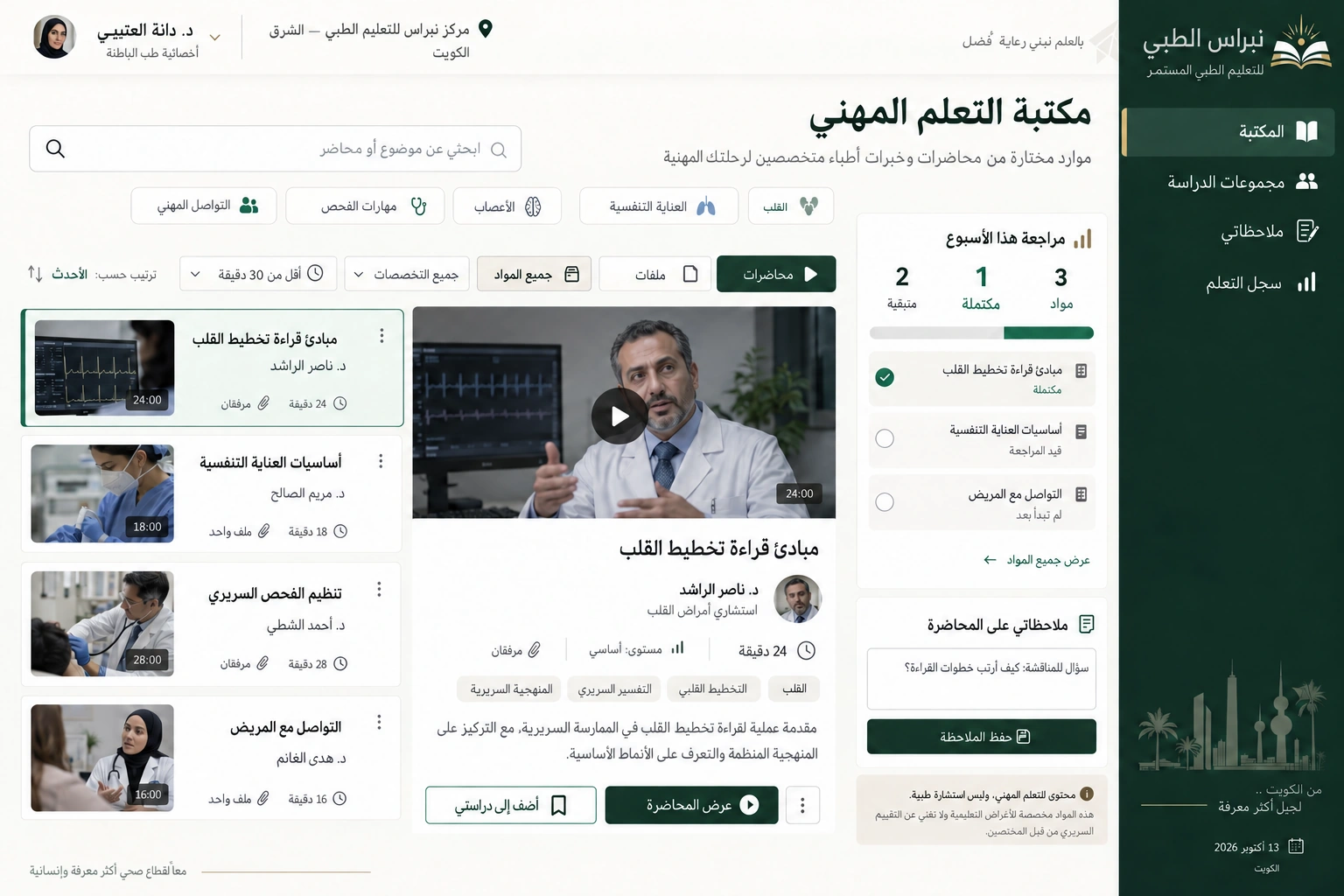
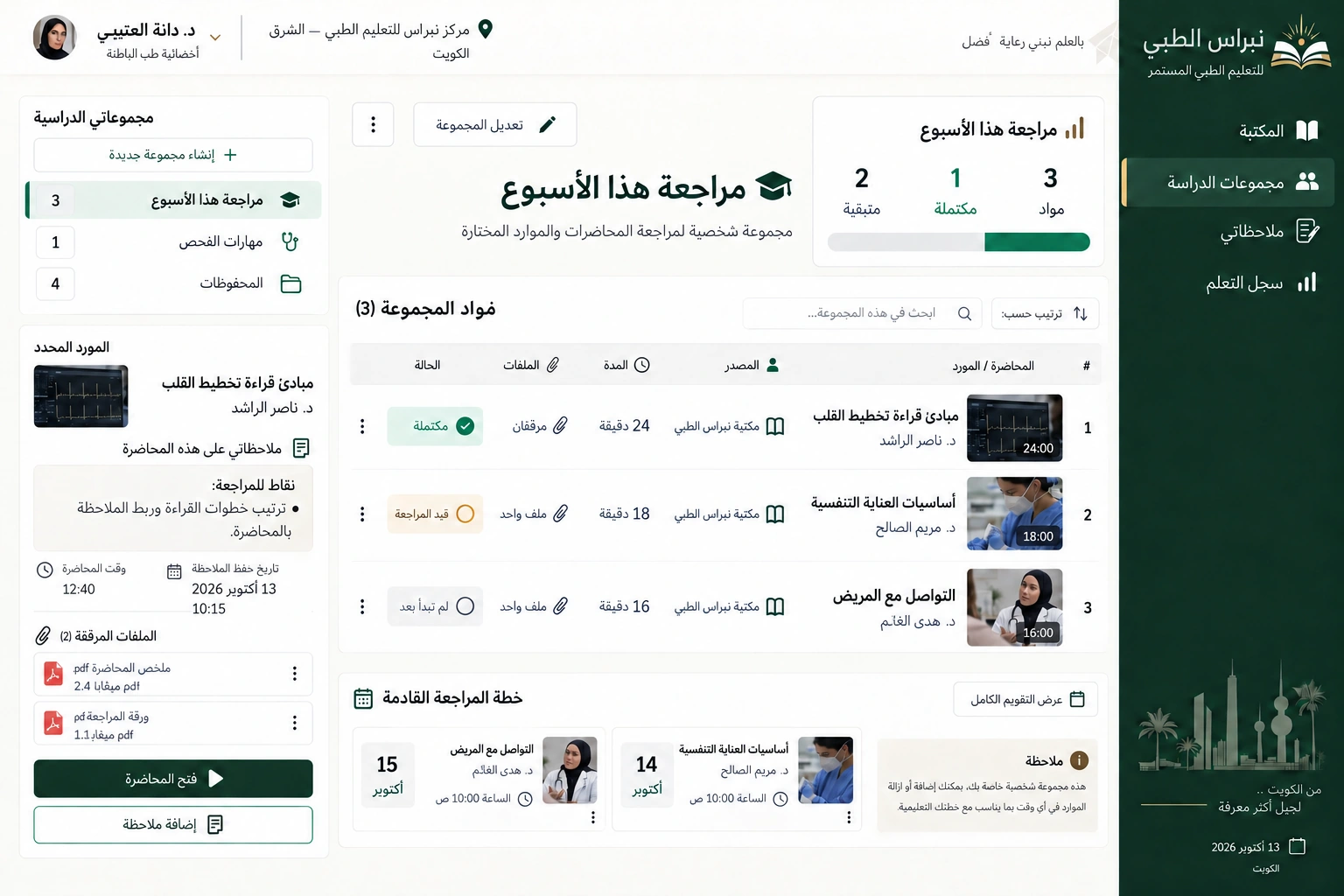
The catalogue separates topic and content type, with lecture information before the add-to-study action. Dr Nasser Al Rashed appears on an introductory ECG-reading lecture with a duration, attachments and addition date. A personal collection contains three resources, one complete and two queued, replacing unexplained progress percentages. Notes stay with the resource, and a reason-for-saving field makes the next visit more purposeful.
03 / The experience
The experience
After work Dr Dana Al Otaibi looks for a resource suited to a short revision session. She compares duration and topics, adds the lecture to a collection, opens its attachment and writes a question for the centre's next discussion. The note does not become an in-product medical consultation. On returning, she sees one finished resource and two remaining ones and resumes where she stopped.
04 / What it could do
What it could do
A useful catalogue
Topic, content type and duration clarify the resource before opening it and support purposeful search.
Source context
Show presenter, attachments and addition date alongside an explicit professional-learning purpose.
Study collections
Group references for one subject and distinguish complete from queued resources through clear counts.
Connected notes
Keep questions and summaries with their source and return the user to the relevant study position.
05 / A typical journey
A typical journey
Define the topic
Dana chooses a topic, content type and duration for her study session.
Check the resource
She reviews presenter, topics and attachments before adding the lecture.
Study and annotate
She opens the resource, writes a connected note and marks the session complete.
Continue the collection
She returns to one completed resource and two remaining references and chooses the next one.
06 / Inside the interface
Inside the interface
Arabic interfaces with right-to-left reading and sample workflows set in Kuwait. Open the images to explore the details.
Explore the screens.
Open any screen to explore the complete project gallery.
07 / Design direction
Design direction
Deep green, ivory and restrained brass details give the library an institutional identity. Its Arabic mark combines an open book with a small light. The catalogue and study screen have different information densities, clear headings and scannable categories. Lecturer names, durations and attachment counts accompany each resource; notes stay connected to their place within the lecture.
Discuss a similar idea